I have a new feature to add to my wish list for iTunes Pro. Podcasts have overtaken TV for me. I watch them at home on my Mac and my Apple TV, and on the go on my iPhone. For those podcasts that support it, I like to watch the HD versions on my Apple TV. The iPhone doesn't care for that high of resolution, so I need to either not watch certain shows on it, or catch a duplicate feed, in a lower resolution.
Catching dual feeds burns more disk than necessary, but that's not why I hate it. I hate it because iTunes isn't smart enough to know that when I've watched the HD version, it should mark the other version as watched as well. iPhones aren't that big and it really hurts to have it sync'd full of stuff I've already watched.
Apple could hide all of this mess. I could just have a single entry for Diggnation and it could figure out the best version to show for the platform I'm using.
One day the iPhone will support HD, but unless flash capacity jumps dramatically in the near term, it will still be more cost efficient to sync a lower res version.
2008-10-30
Multiple Formats, Watched Once
2008-09-17
iTunes 8 Helps You Clean

I would have thought otherwise, but I love genre tiles. How nice of iTunes 8 to ram those badly tagged tracks in my face. Are you like me, can you not stand 4 ways to say the exact same thing? Well iTunes helps you find those ID3 abominations so you can clean them right up.
BTW, the correct one of the 4 is "Hip Hop". I know this because Shadow says so.
2008-04-24
iTunes Housekeeper

I think I read somewhere that once you have a house over 3500 sq ft, you require a professional to keep it clean. This got me wondering. How big of an iTunes library can you handle before you need professional help? Mine is getting quite large.
I tell you what, I sure could use someone that comes in once a month to correct album art, rename incorrect CDDB tags, and fix the playlists that I screw up when dragging stuff around.
But would an iTunes housekeeper be more hassle than they are worth? Would they drop your favorite playlist, shattering it into the dozen original pieces? Would they dust that new punk album you bought, ruining the sound that you paid good money to sound bad? Would they steal the 50 Cent you left sitting on the counter?
Maybe they'd make your music sound better than you ever thought possible. Perhaps they'd rearrange some tracks and make your library feel spacious and airy. But maybe, just maybe, they'd invite over their boyfriend, Zune, and make a mockery of your whole existence.
2008-03-13
iTunes Pro
iTunes has grown quite a bit over the years. That growth has slowed a bit recently as Apple has focused on the other revenue streams that iTunes enables. That's probably a good thing. iTunes is getting dangerously close to doing too much. And what do you do when an app does too much? You make a pro version :)
I would pay for iTunes Pro if it had even a few of the following features
- Real library sharing - Yes, I can listen to my library from my other computers, but that's about it. I can't change ratings. Play counts don't increment, and I can't edit metadata. I hate having to make notes to myself on things to change when I get back to my main library. Leopard's Screen Sharing feature makes it a ton easier to just jump in and do it right away, but I still have to share the screen and deal with the resolution differences.
- Auto iPod convert - I'm sure you've seen the messages. "Blah blah wasn't copied to your iPod because it can not be played on this device." Fine, don't copy that one, but convert me one that will and put it on there. Let iTunes Pro come with a license for Quicktime Pro to make the transcoding possible.
- Better handling of multiple libraries - You can use multiple libraries with iTunes today, but it feels like something that got slid in so no one would notice. Make this a prominent feature.
- Stats - Plays per day, average rating, purchasing trends, most listened artists. I can think of tons, but then I like silly numbers like this :)
- VIDEO_TS support - This would allow streaming a DVD rip to the Apple TV and perhaps even tie to the convert for iPod feature I mentioned. Apple's DVD player supports this, why not iTunes?
- Codec plug-in support - Spread some love to the FLACers and Divxers. The iPod probably still won't play these. Hmm, maybe if there was a feature to auto-convert for iPod? Who cares if it looks like crap because of the transcode. If you don't want it to look like crap, turn off the feature and don't watch it at all.
- Cross library consolidate - Rip a CD to the MacBook, have it sync back to the main library on the iMac.
- Thru-sync - Plug my iPod into the MacBook, have it sync content from the main library on the iMac.
- Library sync to other computers - I already talked about this one in another post.
- Stat sync via .mac - As playcounts grow and ratings get added to an iPhone or iPod touch, let that data sync back to my main library via .mac. These are Internet connected computers. Let them use it and keep some .mac subscribers as a bonus. I want this so bad for keeping up to date on podcasts. I watch podcasts on at least 3 devices, but end up starting to watch ones I've already seen because I haven't yet sync'd the device that would tell my library I've already watched it.
- Sell through iTunes - We know software sales are coming. How about a similar model to sell your own music through iTunes. We know the tool already exists for the labels to use. Spin that into iTunes Pro and make the iTunes store *the* indie store to beat.
Those are my wishes. What features would you like to see?
2008-03-07
Apple TV Take 2 Review
Likes
- Non-sync'd content from the sync source shows up integrated with the sync'd content. Thank you!
- Buying content from the Apple TV is fantastic. It is so much nicer to pick something from your couch and watch it instantly instead of going to the computer, picking something, then waiting for it to download, and then maybe waiting for it to sync to the Apple TV before watching.
- Purchased items sync-back - Buy a TV show, watch it, Apple TV syncs it back to your main library. This is very nice.
- HD movies look great. I saw no compression artifacts and no skips the entire playback. It was awesome.
- You can play rented movies multiple times. Ignore the lies in the other blogs that say you can only watch the movie once. After it got done playing, I simply selected to watch it again and it started right up. You can also forward and rewind just fine.
Dislikes
- Menus are slower for me and they seem to get slower over time
 I hate the top menu. Just as Apple's menu bar is great because it has infinite height, the old Apple TV menu was great because the top level menu also had infinite height. Well, sort of. No matter how deep in the menu structure you were, you could just hammer the menu button a bunch of times to get to the top. Any extra presses just resulted in some clunk clunk "you can't do that" sounds. With the new menu, you better hope you pressed the button in extra multiples of 2 because an extra press will dismiss the menu as the top menu expects you to arrow around rather than hit the menu button. I also really liked that you only used 3 buttons for navigating before. Menu, up, and down. Now you have to add left and right and it just feels slower.
- Further hate for the top menu comes with them pushing iTunes store content a little too hard. For instance, items like Search show up, but that's to search the store, not my content - boo. Music videos shows up as a top layer music menu, but that's to buy music videos from the store, not to watch my music videos - boo. I have to go an extra layer deeper to get to my music videos, most of which I bought from the store! At least give us an option to disable some of the pointers to the iTunes store, or even put them lower on the menu. Yes, the menu does remember where you were in it, usually. Sometimes this resets for no apparent reason too.
- Responsiveness - I know this isn't the most powerful box in the world, but I want it to respond to all of my remote button presses when I press them. The old Apple TV would queue up button pushes, which was sometimes annoying, but if you remembered how many times you pushed it, you'd get where you wanted to go. Take 2 seems to toss out button pushes that occur when it is busy doing another task. This is especially annoying as the old Apple TV trained me to wait a few seconds to let it catch up to my button pushes. Now I don't know if it is catching up or ignoring me. This is very frustrating.
- Long menus still "reboot" while browsing them. I don't know why, but sometimes as you go down a long menu, it will jump back up to the last thing that was playing and you have to re-scroll down the list. This is not new, but still a dislike.
- 24 hour rental - This is terrible for people on schedules, like families. If my wife and I start watching a movie at 9pm and she falls asleep an hour into it, she will not see the end of that movie, period. There's no opportunity to watch the rest of that movie before 24 hours will roll by, so she'll just miss it. If the period were simply extended to 36 hours, it would give her the opportunity to watch it as the "free time for movies" would be available the following night before the rental expired.
- In theory, surfing podcasts without requiring a subscription is cool. In practice, the servers the podcasts sit on aren't fast enough to feed it to you as you want to watch it so you spend a ton of time looking at still frames of the podcast you are trying to watch. Not fun, but not really Apple's fault.

Overall, I like what they've done in Take 2, but they also made the product harder to use and slower to perform. If it weren't for integration of non-sync'd content, I think I'd find a way to downgrade.
2008-01-27
Nits List - iTunes Edition
I love iTunes, usually. It's a great app and one that is always open in my dock. It does have its issues. Most of them are minor. Here's my nit list:
- iPod syncing isn't as good as it could be. It needs the same interface you get when building smart playlists. For example, I might want to sync the 3 newest unwatched episodes of some shows, but the 3 oldest unwatched shows of others if I'm catching up on a season. I could do this by generating the playlists first and then syncing those, but why should I clutter my library with playlists only meant for the mobile device? Update: Ehh, maybe I just talked myself out of this one. I could just make an iPod sync lists folder to hide all of the playlist mucking.
- You should be able to drag a TV Show directly into the TV Shows library source. As it is, you have to add it to movies and then go set the type to TV Show. Yuck.
- Music videos are a video type, but they aren't a type in the library. Movies and TV Shows are, why not Music Videos?
- The iTunes store needs a wishlist in the store so it can follow me across the computers I log into.
- iTunes needs a "look again goofball" function for when it forgets where half of you library lives, even though the place it thinks the files live is the very place that they are. If anyone has a script to auto-fix (not auto-delete) the !'d tracks, let me know.
- The albums list on iPods needs to have a threshold applied. 1 track off of an album is not an album! I have a couple hundred actual albums loaded in my library. Unfortunately, I'll have many times that amount in the Albums list when browsing the iPod. This forces me to flood my playlists with playlists that are the real albums in my library.
- Building on the last one, they finally added folders to the library list. This makes it nicer to organize the albums in my playlists, but my iPod doesn't respect the folders, so it is of little use to me as most of my listening is on the iPod.
- I want to remove an item from my library within a playlist. At the least, give me a "Show in Library" right next to the "Show in Finder".
- Don't stop background syncs because a dialog has been popped up. I don't know if this is still an issue, but many times I've cursed at the not-updating podcasts on the Apple TV only to go find some message box in iTunes that had halted all downloads and syncing. I shouldn't have to check-in with iTunes every day to keep the related systems running.
Edit: Jason reminded me of the one that irks me the most (message boxes stop syncing). I have added it.
2008-01-22
Spread the Sync
This is not a MacBook Air post. Trust me, you'd know if it was. That said, one of the complaints I've read about the MacBook Air is that the 80GB harddrive is too small. One reason folks think it is too small is that today's iTunes libraries would suck up at least half of that. You know what? They're right...if that's your main machine and keeper of your iTunes library.
Me, I wouldn't consider a MacBook Air a primary machine, but this isn't a MacBook Air post :) The meat of this is that the MacBook Air and every other secondary machine could make due with an 80GB drive just fine if iTunes had a new feature. Well, not a new feature, a feature that's been around since 2001. The feature I'm talking about is the ability to sync a subset of your iTunes library to a device, usually an iPod. I want my MacBook to act like an iPod to my main iTunes library. I want to use Smart Playlists to keep it popping with fresh content. I want my ratings, last played times, and playcounts to sync back to my main library. I want new content that shows up in iTunes on the MacBook to sync back to my main library.
With this feature, I can take 20GB of content on the go, and still have full access to all of my content using shared libraries when I'm back on my home network. The MacBook can wireless sync and I don't even have to know it happened. It would be great!
2008-01-12
Netflix Stats and iTunes Rentals


For years I've wanted to know some basic stats about my Netflix usage. How many movies am I churning through each month? How many movies have I watched total? How many movies have I watched in the best month? How many in the worst month? Netflix doesn't give you these stats directly, but you can get your full rental history and figure it out yourself. Shove the data through a Perl script and let Numbers draw some pretty pictures.
If you can't tell from the graphics, min month is 3. Max month is 16 (wow). Average is nearly 10 movies a month. In the 7 years I have been a Netflix customer, I have watched 831 movies (again wow). I guess my DVD player has earned its keep. I always figured we were going through 6-7 movies a month. That appears to have been true early on, but certainly not overall.
Other interesting items:
- We watched a lot of movies in 2005 and 2006.
- May seems to be a bad month for movies. I'm hoping this means that sprint was in the air and I was out on my bicycle, rather than watching movies.
- November looks like a great movie month. I guess that makes sense. The weather is cold and there are holidays and late year vacations for movie watching. Most of the summer blockbusters are out by then too, so there's lots to choose from.
- We rarely have two slow months back to back. This could be a product of shipping windows, or just catching up.

I was finally motivated to do this based on the rumored iTunes rentals coming at next week's MacWorld. From my prediction post, I stated $2.99 for 48 hours. If the rumored $3.99 for 24 hours comes true, Apple isn't going to see much of my movie rental money. With tax, Netflix is getting ~$17 a month. If I'm watching ~10 movies per month, I'm at $1.70 a movie and that's me watching when I want and returning it when I want. I'll have movies that are out of the mailbox and back in within 2 hours. Others will sit around for a week before they get watched. I really enjoy that. Assuming the movies from Apple won't be streaming, it will take an hour or hours to download the movie before you can watch it. If it then expires 24 hours after downloading, that would suck. It would be like those impotence commercials on TV. Once you pop that pill, the clock starts ticking.
Worse yet is the cost. $4 is pretty steep. That's as much as the local brick and mortars charge, at least I think so. I haven't been in a rental shop in over 7 years. You wouldn't have to spend time and money to drive to the store, but if the quality is sub-DVD Apple won't hear the end of the complaining. For me, the $4 doesn't match up well with the $1.70 I'm paying Netflix. I can see paying to watch something I just have to see now, or something that is stuck on Very Long Wait with Netflix, but overall, I can find something to watch while I wait a couple of days for a movie to arrive. Obviously the economics change if Netflix raises their price or my monthly totals go down. Luckily I know have the tools to help me track that! :)
I'm very interested in iTunes movie rentals. I have an Apple TV and love it. I watch a lot of movies, and I have a broadband connection. If iTunes and Apple TV are the vehicles for the content, Apple is well on their way to a winning product. Cost and quality will be the kickers for me. There are so many pricing options that I don't want to state a flat dollar amount, but to me $4 for 24 hours would be disappointing. Quality must also be near-DVD.
I think I'll go watch a movie now.
2007-11-24
Inconsistent Time Sliders
One of my favorite features for the new DVD player in Leopard is the time slider that hides in the bottom frame of the window. I like that it gets out of my way when I don't need it, but it is still right there when I do.
If you read yesterday's post, you'd know that I'd notice that this time slider is different than other time sliders that Apple uses in a default install. I wanted to explore this further, so I grabbed some screen shots from time sliders in various apps.
Wow, that's a lot of differences for such a simple user interface component.
- Diamonds vs. triangles vs. dots for time line indicators
- Time text at the end of bars vs. under the bar vs. none at all
- Play indicators vs. none
- Hours placeholder vs. none
- Controls with the same icon, but different treatments (volume, full screen, play, pause, skip)
- Different colors, different transparencies
- Even silly things like rounded vs. squared
Of course not all of these differences are bad. It makes sense for the transparencies in some apps vs. not in others. QuickTime is also showing its age. The thing I want to know, is what's the optimal placement of these controls? Should Quick Look and QuickTime share the iTunes time slider? Should DVD and Front Row be more similar? I didn't even show the iTunes Cover Flow controls which, while not a time slider, still has many of these same controls and presents them differently yet again.
There has to be a better way to do these sliders, if for no other reason than to make them familiar to users across applications. Do you agree? Please discuss.
2007-10-01
10 Things About Amazon MP3
1. You get a free track when you install the downloader app. Did they pick an artist with Apple in it on purpose?
2. There's no Wish List in the MP3 section. WTF guys? iTunes doesn't have this either. Why do I have to keep a Google Notebook entry with the stuff I want to buy? Why do you make it hard to give you money?
3. Things aren't priced the same as iTunes. Ok, you already knew that you could get some stuff for 89 cents, but did you know that some stuff that is album only on iTunes can be had for $1.94 on Amazon? Lots of iTunes album only tracks are over 10 minutes, but not all of them. Check out this EP with some remixes demanding double cost.
4. The selection pales to iTunes, except when it doesn't. I've found stuff on Amazon that I would have expected on iTunes, but it isn't there. Definitive Jux Presents III is one example. iTunes has II, but not III. Yes, I bought it. That's a great price and great music.
5. The interface sucks. The iTunes walled garden is pretty. Amazon's alley shop is ugly. Scroll down and see what I mean. Customer reviews about unrelated crap. Scroll, scroll. Flip video camera? Scroll, scroll. Instant rebate on Laffy Taffy. Tremendous. Scroll, scroll. Budget rent-a-car ad. Scroll, scroll. Feedback, where's my stuff, recent purchases. Why is this on every page? Scroll, scroll. Bunch of links I'll never use to sites that don't apply to me.
At least the track listings respect browser width. Too bad you have to hunt for the playing track. Will it work? Of course it will, but it still bugs me.
6. Album art and album details come nicely loaded in the purchased music. Music (all?) is encoded with VBR.
7. An amazon download ID also comes loaded in the purchased music. This doesn't bother me. I can actually use this to build a smart playlist of Amazon purchased music. This will be necessary for backup purposes because this music won't just drop in my automatically backed up Purchased Music. 
8. The Amazon downloader will stick stuff in iTunes, but it doesn't give you a link to play the stuff you just bought! You'll make good use of that Recently Added smart playlist. They'll let me reveal in finder, but not play the silly thing? I don't need to know where it lives, I just want to hear it. If you'd take me to iTunes, it will show me where it lives too.
9. Amazon's old free MP3s links now redirect to the pay site. You didn't know that Amazon used to have hundreds of free MP3 downloads? Ahh, you missed out.
10. You can browse by genre, but the links are hidden down in the product details of a release. You can't browse by label, but you can't on iTunes either. Beatport knows what's up.
2007-06-24
iTunes Exclusive (except for Best Buy)
While checking the Best Buy ad today, I came across an interesting development. Drive, a previously iTunes exclusive mix by the Crystal Method will now be available on CD, selling exclusively at Best Buy.
From what I've seen, this is the first iTunes exclusive that is no longer exclusive. If you know of others, please drop a note in the comments. 
This is further solidifying iTunes as a music store and even content producer. You really don't need further proof than the fact that iTunes is now the #3 music retailer in the US. It seemed only yesterday that people were still saying no one wants to buy music online. I can't say I buy more music from iTunes than elsewhere, but I know that I don't buy from Wal-Mart or Target. The long tail is selling and the brick and mortars are missing out.
As an aside, exclusive is losing meaning. Is it still exclusive if iTunes is the only one selling the digital version and Best Buy is the one selling the CD version? Is it right to call something exclusive if you know it won't be in a short time? Expect this topic to come up alot with the iPhone which is exclusive to AT&T for 2 months to 5 years depending on who you believe.
2007-04-12
Chapters and the iTunes Store
When the iTunes store first opened, you could buy continous mix CDs from DJs, but you only got the individual tracks. This sucked because of the lack of gapless support in both iTunes and the iPod. They've since added gapless support, or so they say. I still thinks it sucks because it only works about 20% of the time for me. The gap is gone, sure, but usually they cut the tinyest bit of the music too. You probably won't notice it in a live show, or perhaps even a mixed album, but you hear it in DJ mixes, especially if you have a DJ brain and can't turn off the counting in your head.
So gapless playback is poor, but the iTunes store has made this better by giving you a free continous mix, all in one track, along with the individual ones. Electric Calm 3 is one example of this. The problem with these all-in-one files is that you can't jump between the tracks like you are able to on a CD. We know that Apple has a tool to add chapter markers to files. Is it that they don't work on protected files? I decided to find out.
I made a copy of my purchased Electric Calm 3 file. I then whipped up a quick XML file with some chapter points to apply to the copied file. ChapterTool was called, and after a long delay, ChapterTool tells me status: ok. Cool, time to try it.
Sure enough, it plays just fine and the chapter marks are fully functional. This really makes me wonder why they don't do this from the start. It would make the file far more useful. Well, I guess I have the power to do it myself now. Time to write some code to auto-generate the necessary XML file.
2007-03-21
Apple TV vs. Media Center Extender

Everywhere you look that has comments about the Apple TV are comments about how stupid you'd be to buy an Apple TV and how smart you'd be to buy a Media Center Extender, specifically an Xbox 360. Here are 5 reasons why I chose the Apple TV over an Xbox 360.
- Availability - No, I don't mean the fact that the Apple TV is finally shipping. I mean that you can use an Apple TV with any computer that can run iTunes. That's a lot of computers. That covers about any Windows or OS X computer built in the last 3 or more years. On the other hand, to use an MCE, you need Media Center (MC). According to Microsoft, you can't install MC. You have to know you want it, and buy it up front, assuming the computer you want even has the option.
I have a really powerful Windows XP-based computer. Can I upgrade it to be a Windows Media Center-based PC?
Unfortunately, no. While a PC running Windows XP Media Center Edition 2005 is also a powerful Windows XP-based computer, Microsoft does not retail Windows XP Media Center Edition 2005 as an upgrade. Windows XP Media Center Edition 2005 is only available pre-installed by PC manufacturers or qualified computer system builders.  Size - This matters to me. You might have a huge entertainment center, and I do to, but not with the TV that I want to run the Apple TV with. To me, the Apple TV is perfect for its small size and integrated power supply. The Xbox 360, while more capable, is gigantic. It has an external power supply that is nearly as big as the Apple TV itself. I don't want another power brick to hide. The cord is bad enough. Ignoring that power supply, the Xbox 360 is still nearly 4 times the size of the Apple TV.
- Power consumption - Apple TV has a 48 watt supply. The Xbox 360 has a 160 watt supply. Save money and the environment :) with an Apple TV!
- Cost - Apple TV is $299 and plenty of folks say that's far too much. Xbox 360 with a hard drive is $399. The Xbox can do a lot more than the Apple TV, but we aren't really discussing that here. We're discussing the video playback functionality. If you want to use that Xbox wirelessly, add on $89 for the adapter. Another $20 for a remote. If you aren't going to buy games for the Xbox then it doesn't look like that great of a choice for Media Center Extender.
- Store Tie-ins - I like the walled garden of iTunes. I don't want to trade money for points that I can trade for content. Folks are quick to point out that the Xbox can play Divx, xvid, exlax, exwife, and xterra. That doesn't matter to me. I don't download shows over bittorrent (yet?), so being able to play the latest ripper codecs aren't a selling point for me. The iTunes garden does have a big swinging gate. If you can get content in to iTunes, it sounds like the Apple TV will play it. I plan to use that gate to get my purchased DVDs into iTunes.


2007-03-13
Hybrid iPods
I'm by no means the first to think of this idea, but the more and more I read about the hybrid hard drives, the more I think, hmm, could those work in an iPod? The idea is, you put the songs you think will be played in the flash and then you don't have to spin the hard drive. More on that in a sec.
For starters, this wouldn't work because the drives are physically too big. Right now, the drives I've read about only come in the 2.5 inch size, not the 1.8 size that the full size iPods use. It's only a matter of time before they get made in that size though, right?
Next, I wondered if the flash cache was big enough. Currently, they come with 512, or at most a gig. Is a gig enough? Ideally, you'd avoid the drive as much as you could and only play from the flash. If we assume a meg a minute, which is about right for 128 AACs or 192 MP3s, you'd get 1000 minutes or 16 and half hours of playback. That's more than a full run of the iPod's battery. This is starting to sound pretty good. If you could predictively populate the flash at sync time, when you have plenty of time and plenty of power, you skip the spinning drive and extend the battery life.
You'd get all of the benefits of a full iPod with the battery life of a nano. That would be cool.
So how would you fill the cache flash with the stuff you'd want, rather than the other 59 gigs of stuff you are carrying?
Well, iTunes could attempt some predictive algorithms to fill the flash, or perhaps they go the low tech route and just ask us. Just like the checkbox to "Play higher rated songs more often" in Party Shuffle, you could tick a box for flash-syncing the higher rated songs if you listen to those more often. Or, maybe you can designate a few playlists as flash-syncable because you know you listen to those the most. Combine that with smart playlists and you'd smart sync the right stuff a good portion of the time. I know I spend most of my time listening to a Not heard recently smart playlist that picks up any newly added content (including podcasts) along with the stuff I haven't listened to in months. This lets me get a nice mix of my new stuff while still keeping my whole library in rotation.
I wanted to see if you could do some predictive syncing and I also wanted to see how much music I listened to between syncs to see if this would work. I looked at my last 16 days of listening, which translates into 4-6 sessions. I'm defining a session as 3-4 days of playback. That's about how long a charge will last me and I need to do this because the last played times aren't the last synced times...unless you're using a shuffle which does set the last played at the time of sync.
I average about 3.5 hours of listening a day. Roll that up into a session and you have 10.5-14 hours which is less than the 16 hour figure from earlier. Still, that assumes a lot of positive hits coming out of the cache. Perhaps a 2 gig flash cache would work out better.
One last idea for those that like to shuffle. The set of tracks for the shuffle could be determined at sync time and populated in the flash. It would still be random, it just wouldn't be chosen at random at the time you were listening.
2007-03-07
iTunes and Content Production
iTunes has always been about the music. Well, it was until the podcasts, and then the TV shows, and then the movies. Ohh, and the audiobooks have been there too, and you can get digital booklets with albums....iTunes has always been about the content. We've got that established, but iTunes has mostly been about selling other peoples content.
Plenty of folks are calling for iTunes to be the savior of independent content everywhere. Skip the label and publish directly on iTunes. We've seen a little of that with services like CD Baby and we're starting to see things happen with video too. These things are great, and I hope they continue, but I want to connect the dots a little differently. It almost seems like things are shaping up for Apple themselves to be the content producers.
I pull together 3 nuggets of info to suggest that Apple might want to dive deeper into the content production business.
For starters, they've settled with Apple Records and can now produce music if they really wanted to.
Second, Apple appears to be having some success in their partnership with Nike selling exercise influenced mixes. I own two of them (Crystal Method  and Aesop Rock ) and I love them. As of this writing, there are 15 such mixes available for purchase. I don't know who is actually financing these productions, but Apple is pushing them and they are iTunes exclusive.
Finally, we have the impending release of the Apple TV. Mine is on order and I expect to spend about $60 on content as soon as it arrives. I'll be more than happy to spend the money as I've cancelled my cable and I'm saving $60 a month already. Apple will want more reasons for people to buy Apple TVs. One of those reasons could be exclusive content. Just like HBO got a nice boost from The Sopranos and how Howard Stern sold buckets of Sirus subscriptions, Apple could snag customers with some exclusive content of their own and they could pay the production costs to make that happen.
Apple has historically had a creative base. How cool would it be for them to start employing some of their users to create content for them? Think about what would happen if the next Lost were an iTunes exclusive. That would seriously shake up the TV world, but it would also piss off the networks they've already signed deals with. Maybe the networks had wording in their contracts that said Apple couldn't produce television shows :)
Play Bar Brothers
I realize there aren't a whole lof of ways you can design a play bar, but I did think it was interesting to see how similar the Netflix Watch Now and iTunes Fullscreen Cover Flow play bars are.
The order is the same. Play/pause, scroll bar, volume, and then full screen control.
I actually like that these are similar. I don't want to learn a new layout for every app I use.
2006-10-30
Moby and the Long Tail
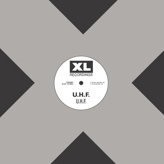
First, a follow-up to my recent 5otn post. Moby also liked the Medersten remix and has posted it to his MySpace site. That is very cool. Artists enjoying the work of other artists and sharing it. Good job Moby.
Continuing with Moby's online presence... I was browsing the iTunes store the other day and came across the very early release from Moby under the alias U.H.F. Unless you are a fan, you don't even know that Moby released music under a handful of names, and still does release as Voodoo Child. This is great. Music that would otherwise be left to collectors collections, MP3s, or record shop basements is legally obtainable. Too bad that legal part doesn't give me access to the downloads. I'm stuck listening to my less than mint vinyl copy :(
2006-10-24
Art of the Playlist

Just like a good album, a good playlist can be a work of art in itself. The playlist can create a mood, not only in the selected tracks, but the order of them. One of the downsides of today's track by track world is that listening to your music at complete random can be less than pleasing. A D'n'B track can lead in to classical, followed by a comedy set. Ugg. Luckily, the playlist is there to make things better.
I've found that some of my playlists become as loved as albums from favorite artists. I also find that listening to someone else's playlist can open doors for me. To that regard, here are a couple of playlists of mine for you to listen to. These are different than my 5 of the now because the 5otn are usually unrelated tracks and not meant to listen to as a group. To go along with the Slushy Streets playlist I posted last December, here are Sunrise Skyline and Dust and Rain. A few of the readers of this blog have already heard these, but not all. Let me know if you'd like a full listen, rather than the 30 sec iTS previews.
To help you post your own playlists, you can try my Perl script to convert an iTunes playlist XML file to HTML. For some odd reason, iTunes does not allow a simple playlist export of artist and track title. The script isn't the greatest in the world. It has a last second hack I had to put in when I encountered an Album Artist field, and I also discovered that the output is not saved in the file in the order of your playlist. You have to make use of the key IDs further down in the XML to get the order correct. That means this will output your playlist to HTML just fine, but you might need to manually fix the order, for now.
2006-10-14
DRM and Self Defence
Theoretical arguments are always fun, but nothing makes a point better than a real life example.
I don't hate DRM. I understand why some content owners think it helps. I don't necessarily agree that it does, but I get what they are trying to do and I don't think it would be fair of me to become a foaming at the mouth DRM hater over what is honestly a minor inconvenience in my life.
Now, my hate for DRM can grow, and it already has to some degree. I've already documented two cases where DRM got in my way. Now, I'll add a third.
The real life example comes with the purchase of the latest UNKLE release. Self Defence is a nice little box set of recent UNKLE singles and all of the remixes available across all release vehicles. It goes to ridiculous levels. There are 15 releases of their hit single Reign. For those that whine about there not being any good music, and that when there is, it costs too much, you get 41 tracks for $20. Put up or shut up. You can also buy track by track from the iTunes store.
So, because I let Global Underground sell me the same music over and over again, I happen to have many of the tracks in this box set. I purchased the Reign EP, and then I purchased the Never, Never, Land album re-release. Both of these came with the Anagram remix of Reign. With the purchase of Self Defense, I now have 3 copies. Only one of those is smothered in DRM, but that's enough. I don't need all of these copies, they're all the same. I'd love to just give the extras away to friends. Maybe I can spark an UNKLE fan. Too bad I can't even try. I have no way to transfer ownership of the DRM file. I can't even sell it back to Apple, at any price. Yes, I knew this when I bought it, but I didn't know that UNKLE would release sets in the future that would entice me to buy the same music again. Shame on me.
I hate the end result here. A kick ass band now gets their name muddied because of DRM. I'm left wondering why I pay again for the same music, when I can't sell the other copies. Apple gets a black eye because the labels force them to use DRM. New customers can't be snagged because they aren't given the hand-me-down copies. It's all quite sad.
2006-09-17
Closing the Gap
I thought the day would never come. Gapless playback on iPods has arrived. Please give me a minute to compose myself. There, I've dried my tears of joy. The world is a better place. No longer will my groove be harshed by a momentary slap of silence. My number one gripe has been erased. Thank you Apple.
BTW, you may have to prod iTunes a bit to get it to update your iPod. I'm running 7 and plugged in/out my 5G a few times, but was never prompted to upgrade from 1.1.2 to 1.2. I then selected Check for Updates... and it immediately popped up telling me that I it could upgrade my iPod. I did not need to reload my music. It just works.
I fully expect the haters to now shift their attention to the iPods lack of Ogg Vorbis support.